
Steps in 3PDF
Open the documents
Open the two PDFs in 3PDF. Identify your main document and its reference, such as a plan and accompanying notes, or a contract and an appendix.
Enable split view
Use the split view control to display the documents side by side. The screenshot below shows this arrangement in the application. Navigate each document to the page you need.
Adjust each zoom
Set the zoom separately for each document. Keep an overview of a plan while enlarging a paragraph of notes. Check page numbers and reference marks when inspecting different versions.
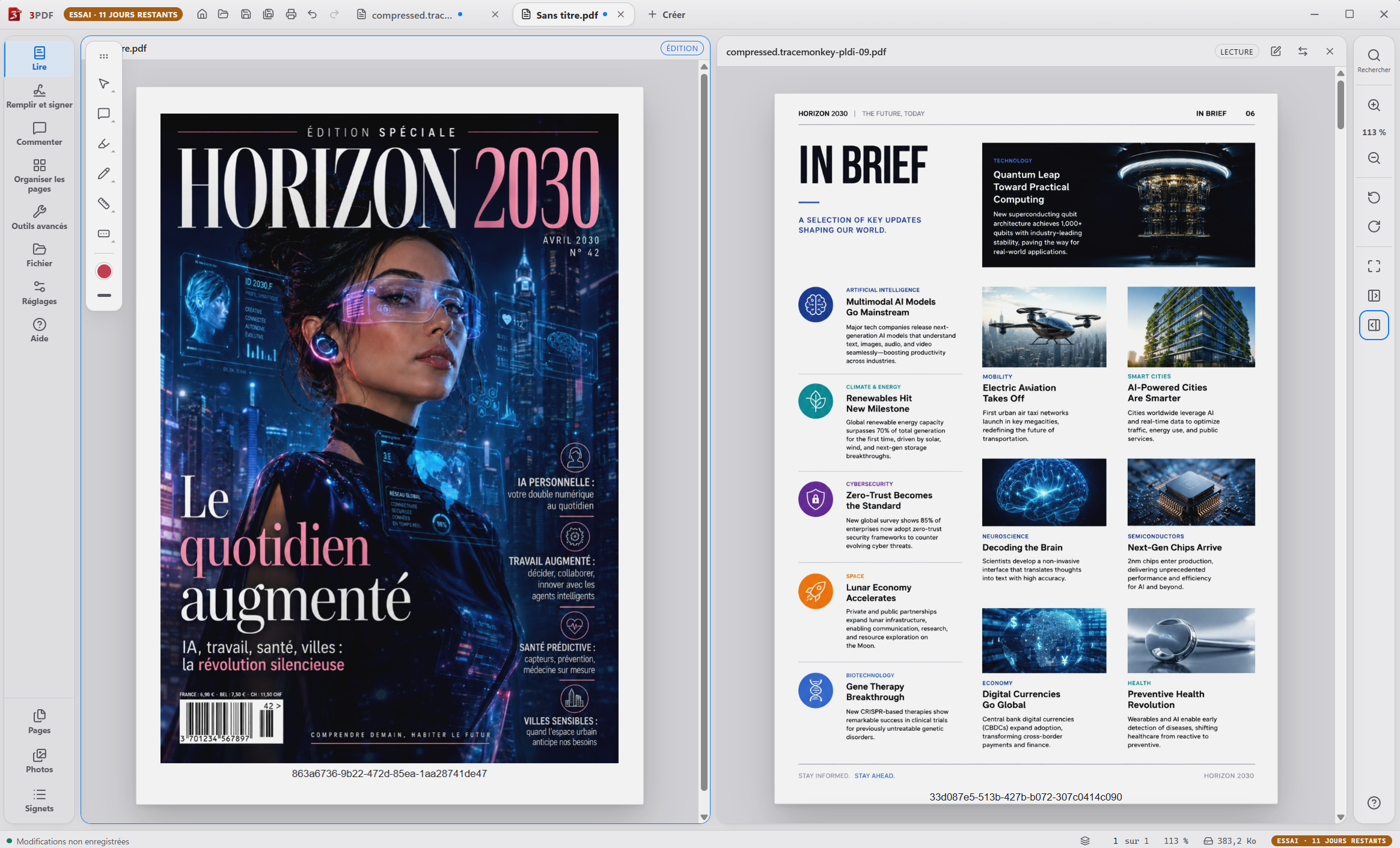
The result and what to check
Split view is part of free reading. It helps with visual comparison but does not automatically compute differences between versions or guarantee that every change is identified.
Does split view merge the files?
No. It arranges the display. To combine pages into a single PDF, use Pro’s page organization and merging tools.
Start with the free reader
The reader is free, with no account. Pro tools cost €3.99 / month, for two computers per account. PDF processing stays local; your account, payment and access renewal use the Internet.
You can subscribe during your trial. The paid monthly period starts at payment. Cancellation takes effect at the end of the period already paid for.